Bluetooth Speaker Charging Dock: Fit, Setup & Safety
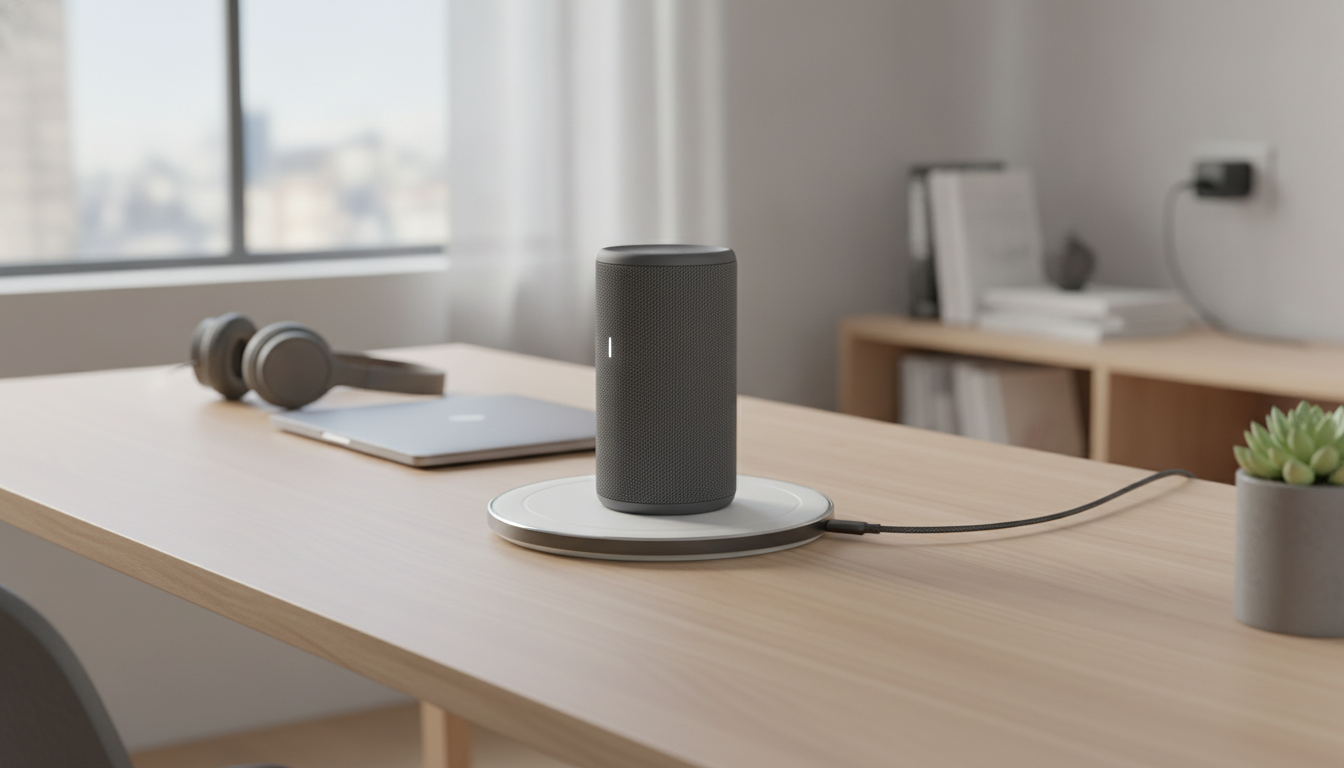
Power Charging Dock for Bluetooth Speaker
A charging dock keeps a Bluetooth speaker powered up and ready to play—without fumbling with loose cables each time. Instead of hunting for a connector or stressing a small charging port, a dock creates a consistent “drop-and-charge” routine that fits naturally into daily life. Below are the practical details that matter most: what a dock actually does, how to confirm compatibility, how to set it up for dependable charging, and a few simple habits that can help keep batteries and ports in better shape over time.
What a charging dock does (and why it’s convenient)
A charging dock is essentially a dedicated home base for your speaker. Depending on the model, it delivers power through aligned contact points, a fitted cradle, or a neatly routed cable that stays in place.
- Provides a fixed “home base” so the speaker can be charged by simply placing it on the dock.
- Helps reduce wear on the speaker’s charging port by minimizing frequent plug/unplug cycles.
- Keeps a listening area tidy—useful for desks, kitchens, bedside tables, and entertainment shelves.
- Supports routine charging so the speaker is more likely to be topped up when needed.
It’s also a small quality-of-life upgrade: when the dock stays put, charging becomes a one-step motion rather than a mini task you might postpone until the battery is already low.
Compatibility checklist before buying
“Bluetooth” describes how audio connects—not how a device charges. Charging compatibility comes down to power delivery, physical alignment, and whether the dock matches the speaker’s charging design.
- Charging interface: confirm whether the dock connects via a specific cradle/contacts or uses a cable route, and match it to the speaker’s charging method.
- Power requirements: check the speaker’s input rating (voltage/amps) and ensure the dock and power adapter meet or exceed it.
- Physical fit: verify the speaker’s base shape and dimensions so it seats securely without wobble.
- Case or skin clearance: if the speaker uses a protective sleeve, confirm it can still dock properly.
- Indicator behavior: understand how the speaker shows “charging” and “fully charged” so it’s easy to confirm it’s working.
Quick compatibility checks
| Check | What to look for | Why it matters |
|---|---|---|
| Charging method | Contact pins, cradle alignment, or cable path | Ensures the dock can actually deliver power to the speaker |
| Input rating | Speaker label/manual (e.g., 5V ⎓ 1A/2A) | Prevents slow charging or power instability |
| Footprint and stability | Base width, center of gravity, non-slip pads | Reduces tipping and accidental disconnects |
| Port access | If the dock uses a cable, confirm it reaches the port cleanly | Avoids bent connectors and intermittent charging |
| Daily workflow | Easy drop-in placement and clear status lights | Makes routine charging effortless |
If you’re shopping for USB-powered docks or cables, it can also help to reference standards information from the USB Implementers Forum (USB-IF), and for Bluetooth device basics, the Bluetooth SIG.
Setup for dependable charging
A dock only feels “effortless” when it’s placed well and paired with stable power. A few minutes of setup can prevent most day-to-day charging glitches.
- Place the dock on a flat, stable surface away from sink edges, stovetops, or high-traffic corners.
- Connect to a suitable power source using the recommended adapter and cable type; avoid loose, damaged, or overly long cables that can drop voltage.
- Seat the speaker fully so charging contacts align (or the connector sits straight) and confirm the charging indicator turns on.
- If charging is intermittent, try a different wall outlet, swap the USB cable, or remove any thick protective cover that prevents full seating.
For cable-style docks, a good rule is: no sideways pressure on the connector. If the cable is pulled taut or bent sharply at the plug, it’s more likely to charge inconsistently and can stress the speaker’s port over time.
Charging habits that help battery longevity
Most modern Bluetooth speakers use rechargeable lithium-based batteries. While they’re designed for everyday charging, a few habits can reduce unnecessary strain.
- Avoid regularly running the battery to 0%; topping up more often is typically easier on rechargeable cells.
- Keep the docked speaker in a cool, ventilated spot; heat can accelerate battery wear.
- Unplug the dock during long periods of non-use if the speaker and dock do not manage standby power efficiently.
- If the speaker will be stored for weeks, charge it to a moderate level and power it down per the speaker manufacturer’s guidance.
If the speaker is often used at high volume, expect shorter playtime per charge—high output demands more power. A dock won’t change that, but it makes it easier to keep the speaker ready without last-minute charging.
Safety and placement notes
Everyday use ideas
Troubleshooting common charging issues
Featured items
- Power Charging Dock for Bluetooth Speaker
- Eco-Friendly Laundry Day Checklist | Sustainable Living Guide (Digital Download)
FAQ
Will a charging dock work with any Bluetooth speaker?
No. Bluetooth refers to the wireless audio connection, not charging. A dock must match your speaker’s charging style (contacts or cable), physical fit, and the correct voltage/current requirements to work reliably.
Is it safe to leave a Bluetooth speaker on the dock all the time?
Many speakers manage charging automatically, but safety depends on heat, ventilation, and using a quality power adapter. Follow the speaker manufacturer’s guidance and avoid leaving it charging in hot, enclosed, or poorly ventilated areas.
Why does my speaker charge with a cable but not on the dock?
Dock charging often fails due to alignment issues, dirty contacts, a case blocking full seating, or an underpowered adapter. Reseat the speaker carefully, clean contact points with power disconnected, and test with a known-good cable/outlet to isolate the cause.















Leave a comment