1080p Mini Smart Projector Setup: Brightness, Audio, Tips
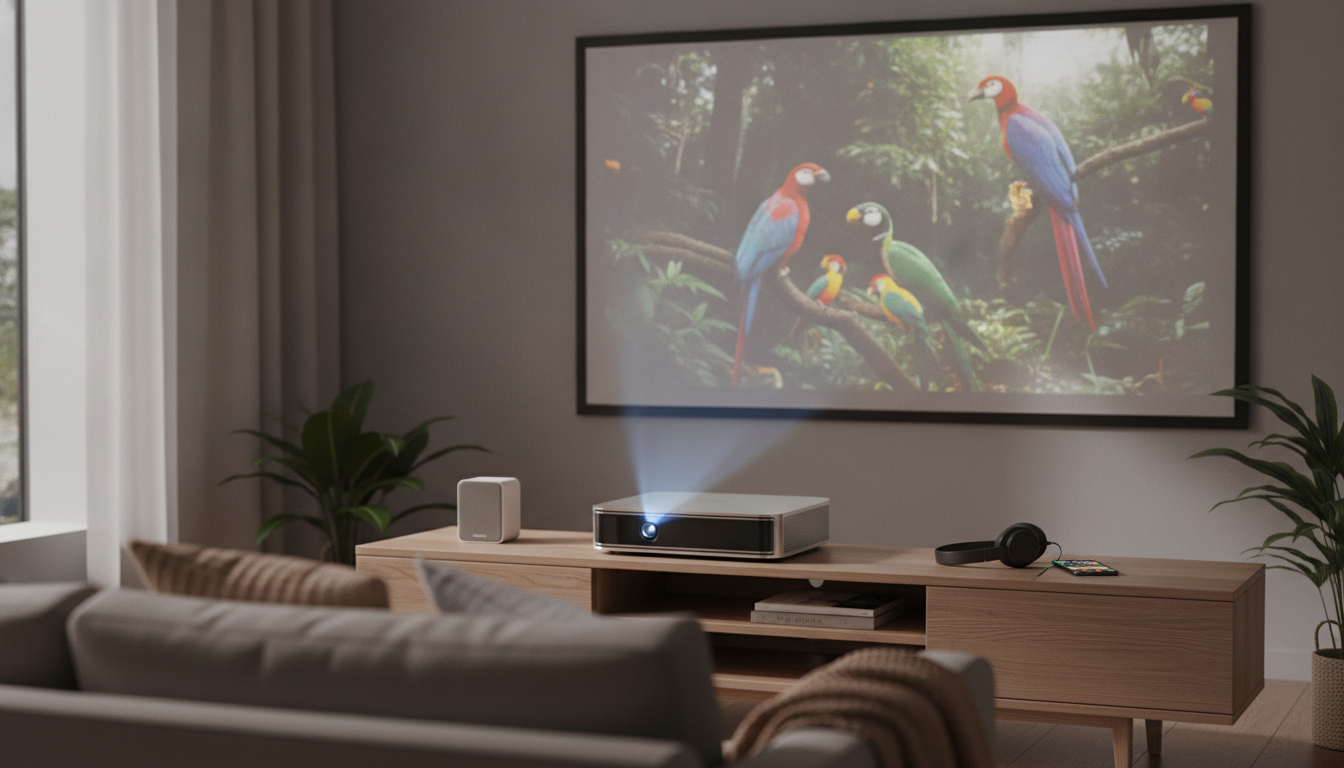
1080P Full HD Mini Portable Smart Projector for Home Theater and Movie Nights
A compact projector can turn a living room, bedroom, or backyard into a cinema-style setup without a permanent TV mount. Today’s mini projectors make it easier to go big-screen with features like Wi‑Fi casting and Bluetooth audio, while still staying portable enough to move from room to room. This guide explains what to expect from a 1080P Full HD LED portable smart projector—how bright it feels in real spaces, how to place it for a cleaner image, and how to plan audio for movie nights that sound as good as they look.
What This Projector Is Designed For
A portable 1080p smart projector is built around flexibility. Instead of committing to a single wall mount or a fixed TV size, you can scale the image up for gatherings or keep it modest for everyday viewing.
- Flexible home theater for apartments, dorms, and multi-use rooms where a TV isn’t ideal.
- Portable viewing for travel, backyard movies, or moving between rooms.
- Streaming and casting workflows using Wi‑Fi (phone-to-projector mirroring/casting, depending on device/app support).
- Bluetooth audio pairing for speakers or headphones when built-in sound isn’t enough.
- 3D playback support (requires compatible content and glasses; format compatibility may vary).
Core Picture Performance: Resolution, Brightness, and Real-World Expectations
1080P Full HD resolution helps keep details intact—faces, subtitles, and textures look more defined than lower-resolution options at typical living-room distances. That said, the “wow” factor in day-to-day use usually comes down to brightness, room lighting, and how carefully the projector is aimed.
With a rated 1100 ANSI lumens, this class of projector is best in controlled light (evening viewing, shaded rooms, or curtains closed). In darker environments, contrast looks stronger and colors feel more saturated. In bright daylight, the image can still be usable, but black levels lift (dark scenes look gray) and the picture loses punch—especially on large screen sizes.
Also, sharpness is a system: focus, throw distance, and alignment all work together. Keystone correction can help square up the image when placement isn’t perfect, but heavy keystone can soften edges and reduce perceived detail. A neutral wall or a proper screen, plus squaring the projector to the surface, typically improves clarity more than aggressive digital correction.
Quick Setup Targets for a Cleaner Image
| Room condition | Recommended approach | What to expect |
|---|---|---|
| Dark room (night) | Aim projector square to the screen; minimal keystone; moderate screen size | Best contrast, strongest color, crispest perceived detail |
| Dim room (lamps on) | Reduce screen size slightly; keep wall/screen neutral; limit reflections | Good brightness with some contrast loss in dark scenes |
| Bright room (daylight) | Use blackout curtains or brighter screen; consider smaller image | Playable image but washed blacks and reduced punch |
Connectivity and Smart Features: Wi‑Fi, Bluetooth, and Inputs
Smart features are about convenience, but reliability still matters—especially when friends are over and everyone just wants the movie to start.
- Wi‑Fi casting can simplify playback from phones, tablets, and laptops. Some streaming apps restrict casting or mirroring due to DRM, so results can vary by device and app.
- Bluetooth makes it easy to pair with speakers or headphones for clearer dialogue and louder volume. If you’re sensitive to audio delay, test with your preferred speaker before a big event.
- Wired connections (like HDMI from a streaming stick, console, or laptop) usually deliver the most consistent picture and the least lag. For more background on HDMI standards and capabilities, see the HDMI Licensing Administrator overview.
- Plan power and cable routing early. Even portable projectors benefit from a repeatable setup: one outlet, one HDMI path, and a stable surface.
If you’re comparing specs and terminology (ANSI lumens, throw ratio, keystone, and more), the ProjectorCentral glossary is a helpful reference.
Placement, Throw, and Everyday Usability
Placement determines how often you’ll actually use the projector. A setup that takes 30 seconds encourages spontaneous viewing; a setup that takes 10 minutes tends to stay in the closet.
Audio Planning: Built-In Sound vs External Speakers
- Built-in speakers are simple, but may lack bass and room-filling volume.
- Bluetooth speakers work well for portable setups. Place speakers closer to viewers (rather than near the projector) for clearer dialogue.
- Soundbar or AV receiver: when a wired path is available, it’s often the most stable way to avoid delay and get fuller sound.
- Check lip-sync with wireless audio. Bluetooth is great for convenience, but some devices introduce noticeable delay. For a technical overview of Bluetooth behavior and profiles, see Bluetooth SIG basics.
Best-Fit Use Cases and Who Should Consider a Different Option
Product Snapshot and Buying Notes
More In-Stock Picks
- Elegant Korean Style Bow Pockets Short Coat for Women
- Propane Tankless Water Heater, 7.4 GPM, Indoor Use, Instant Hot Water
- Eco-Friendly Laundry Day Checklist | Sustainable Living Guide | Digital Download Printable for Green Home & Zero Waste Lifestyle
FAQ
Is 1100 ANSI bright enough for daytime viewing?
It’s best for dim or dark rooms. Daytime viewing is usually more enjoyable with curtains/blinds closed, a smaller image size, and a screen or wall that doesn’t reflect extra glare.
Can Bluetooth speakers be used without lip-sync issues?
Sometimes, but Bluetooth can introduce noticeable delay depending on the speaker and connection. If lip-sync is distracting, try a different speaker known for low latency or switch to a wired audio connection for the most consistent sync.
Will streaming apps work through Wi‑Fi casting?
It depends on your phone, the specific app, and DRM restrictions; some services limit mirroring or casting. For the most reliable playback, using a streaming stick or other source over HDMI is typically the safer option.













Leave a comment